Feature Set
BloqLoft Feature Set (so far)
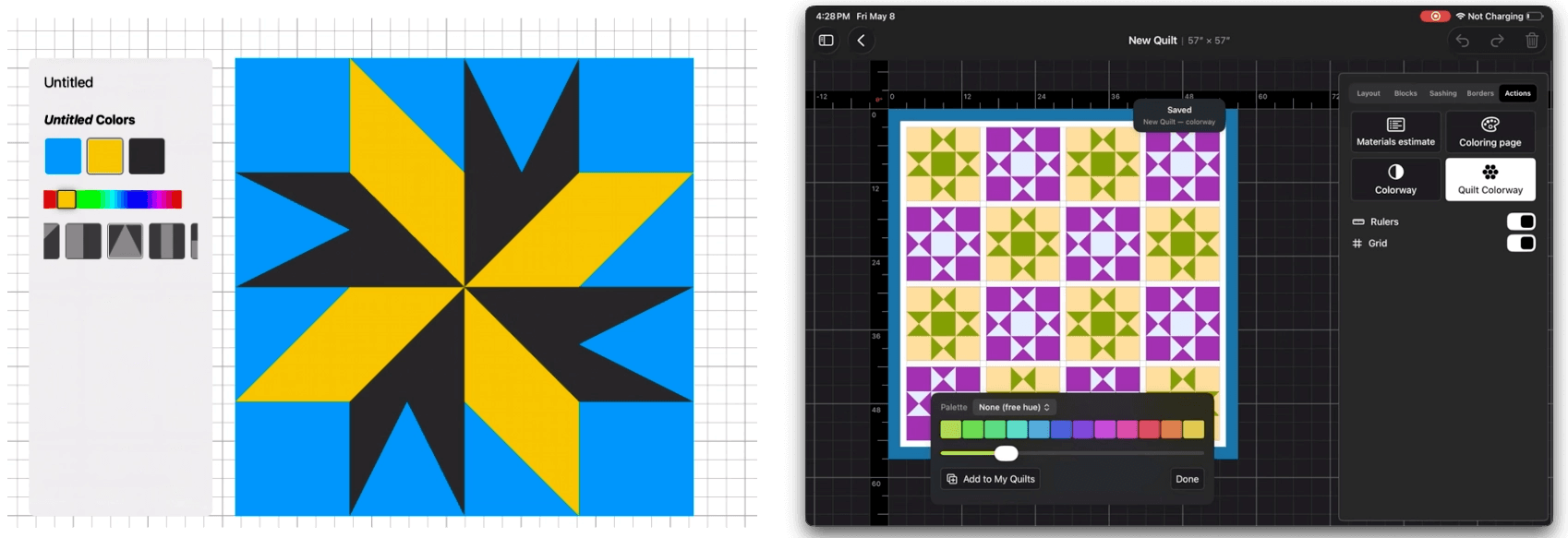
Here is a list of what BloqLoft will (should) be able to do out-of-the-box, as of this third full week of May, 2026:
Block Editor
Cell-by-cell editing in a true grid workspace. Tap a cell to select it, or use single-finger-single-tap/two-finger-single-tap combination gesture to grab every cell with the same shape and fill in one move. You can then group edit color, shapes, fabrics at-will.
Per-cell rotation. Rotate any selected cell, or every cell in a multi-selection, to common angles: 0, 90, 180, 270.
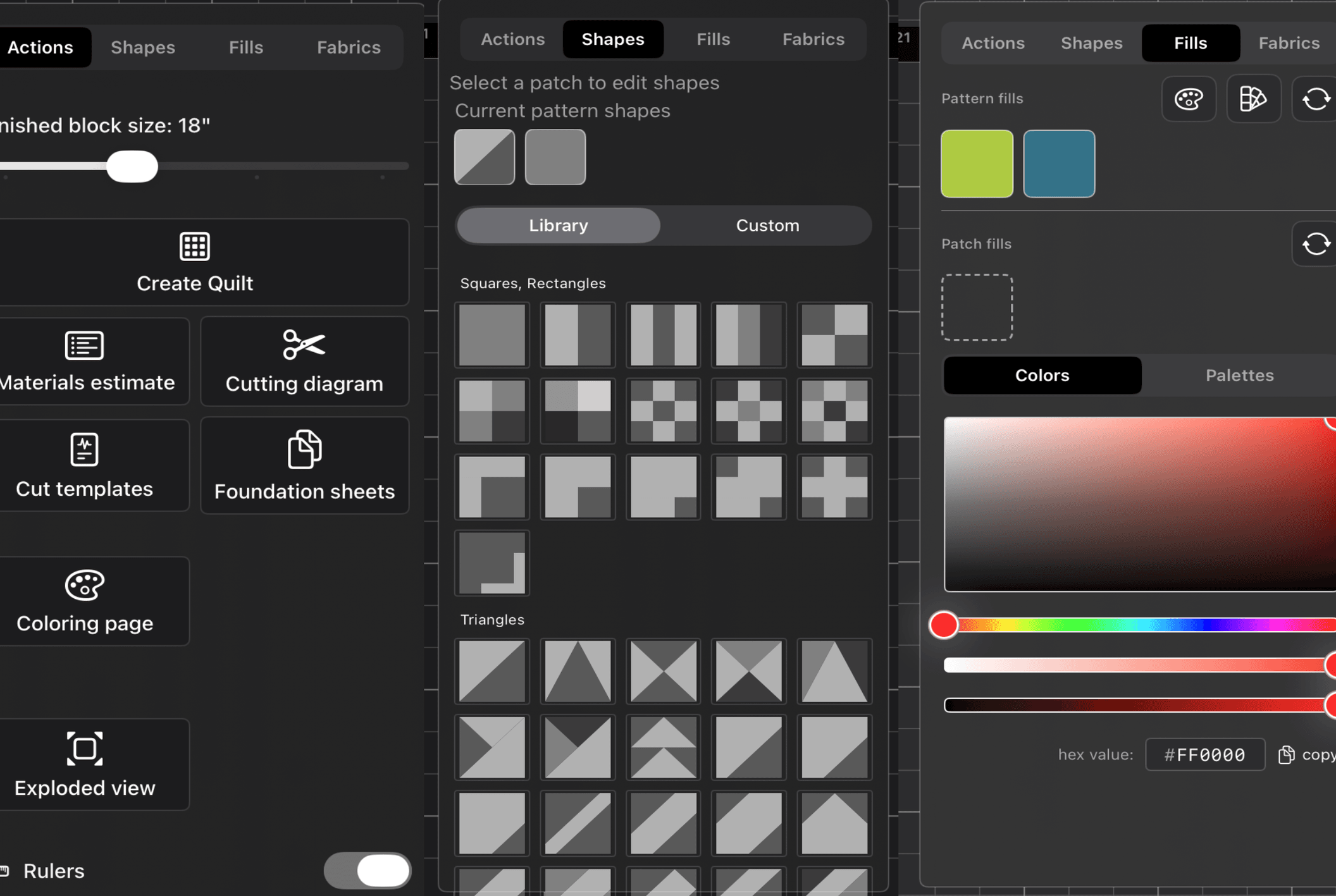
Built-in shapes from shape library or make your own custom shapes. Apply any shape from the built-in library or any custom shape designed in Shape Studio. The shape picker is organized by category, and a batch replace tool swaps every instance of one shape for another across the whole block with fill counts adjusted automatically.
Solid colors and fabric prints on the same surface. A full hue, saturation, and brightness color picker drives solid fills, and a fabric library browser sorts swatches by perceptual closeness to the active fill so the next pick is one tap away. Pinch the fabric grid to change density from four columns down to one for a closer look.
Fussy cutting. Open the fussy cut panel on any fabric fill to position the fabric pattern inside the patch shape with offset and scale controls. Move a patch later and the fabric stays aligned to the fussy-cut origin.
Palette tools. Pick from a library of palettes, duplicate one to start a variant, or delete one entirely. Lock individual color positions so a palette rotation does not shuffle them off. Cycle through every color and fabric in the block in order, respecting the locks.
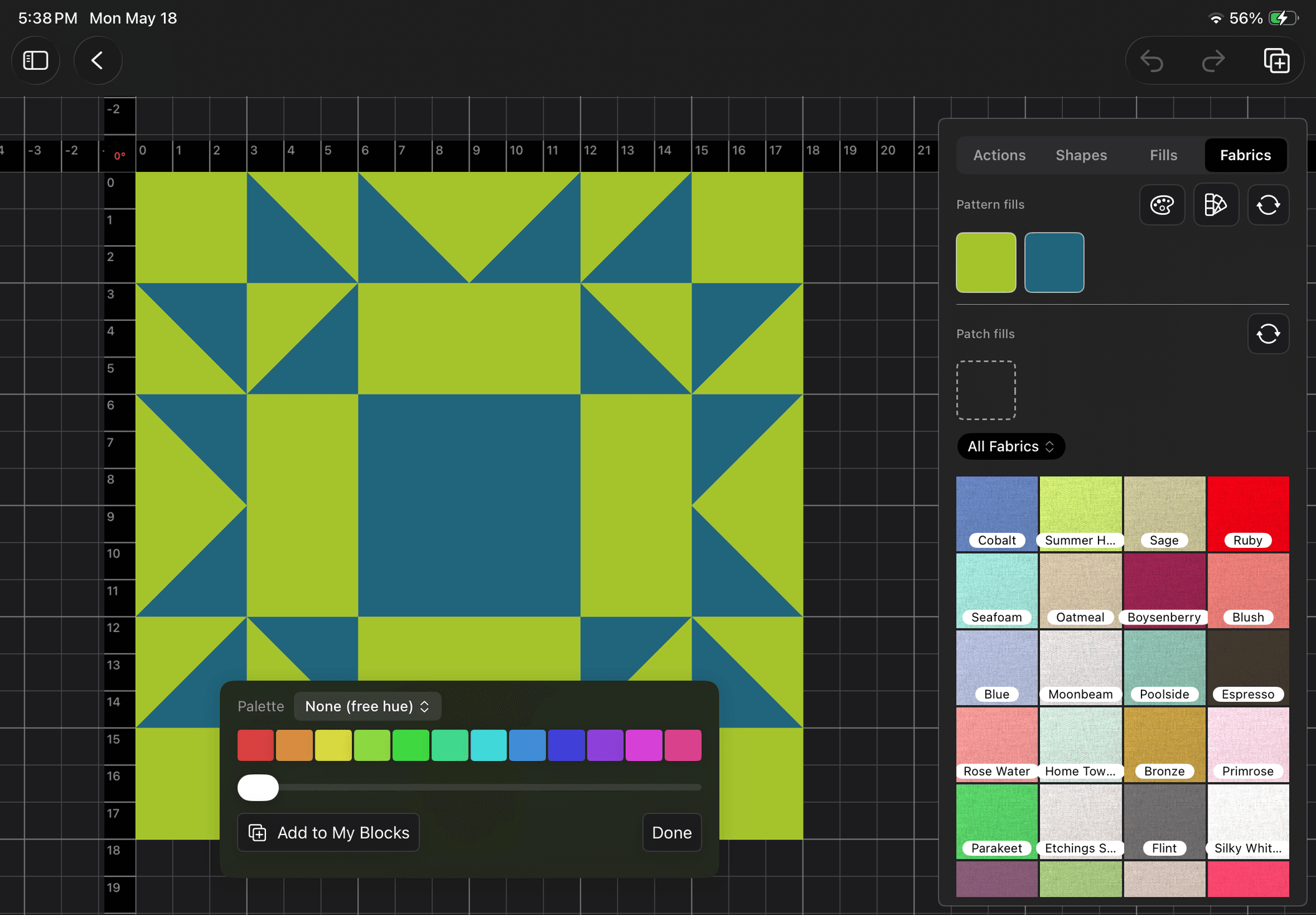
Colorway strip for live hue exploration. Slide a hue rotation across all solid fills in the block at once and preview the shift on the canvas. "Add to My Blocks" saves the rotated palette as a new variant. The block-level colorway uses Oklab color space, which keeps the perceptual lightness of every color as close as possible to where it started.
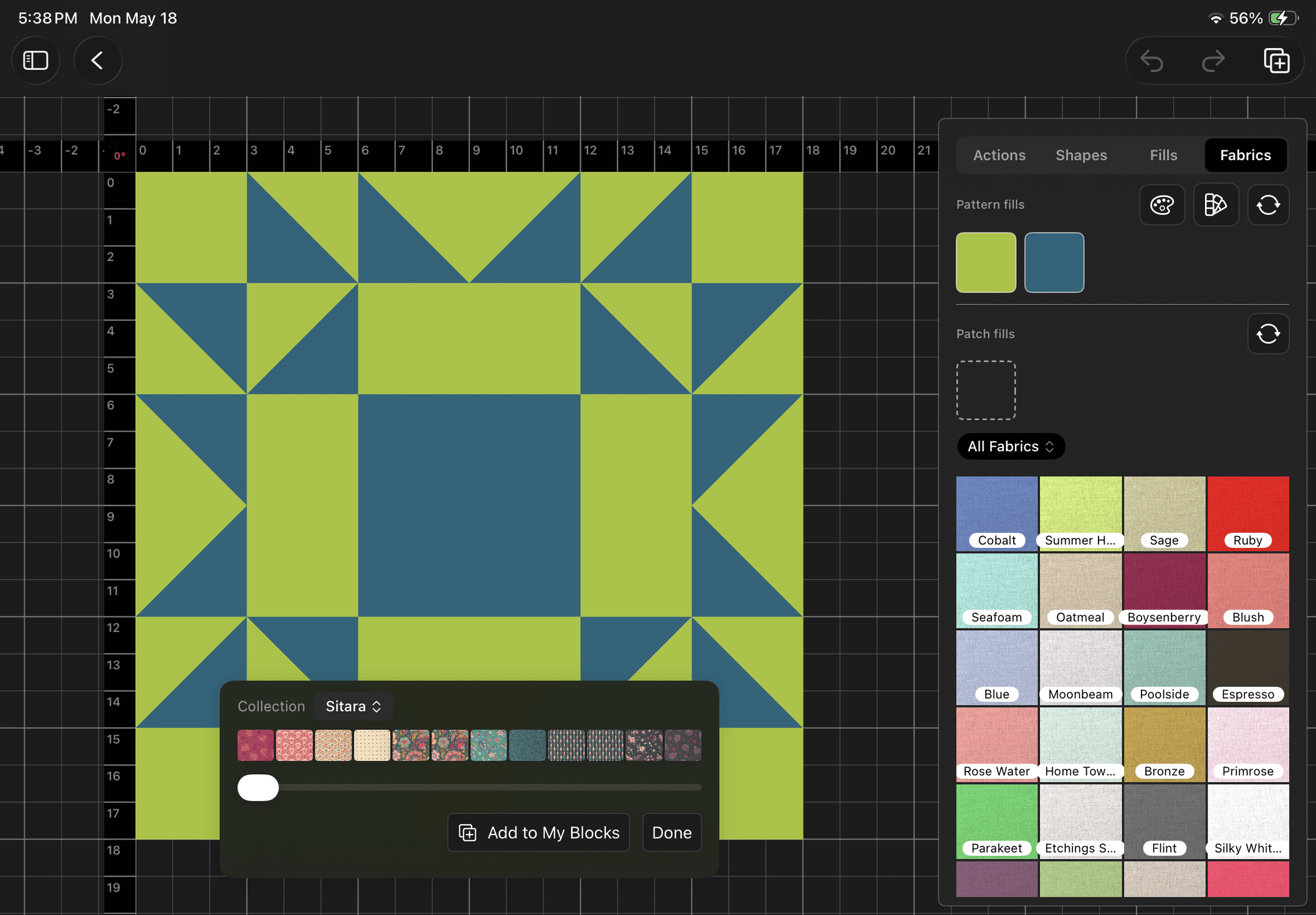
Collectionway swap. Pick a fabric collection, slide the hue rotation, and the block’s fabrics are replaced with the closest perceptual match from that collection. Useful for trying a finished block in a different fabric line without rebuilding it.
Camera and rulers. Pan, pinch, zoom, and reset the camera the same way the quilt designer works. Toggle a multi-level grid (quarter-inch, inch, and cell boundaries with zoom-adaptive density) and rulers on the top and left edges with tick density that appears at finer measurements as the zoom level grows.
Undo and redo with a deep history. Every change is undoable, with full snapshots and deltas under the hood so the stack stays responsive even on long sessions.
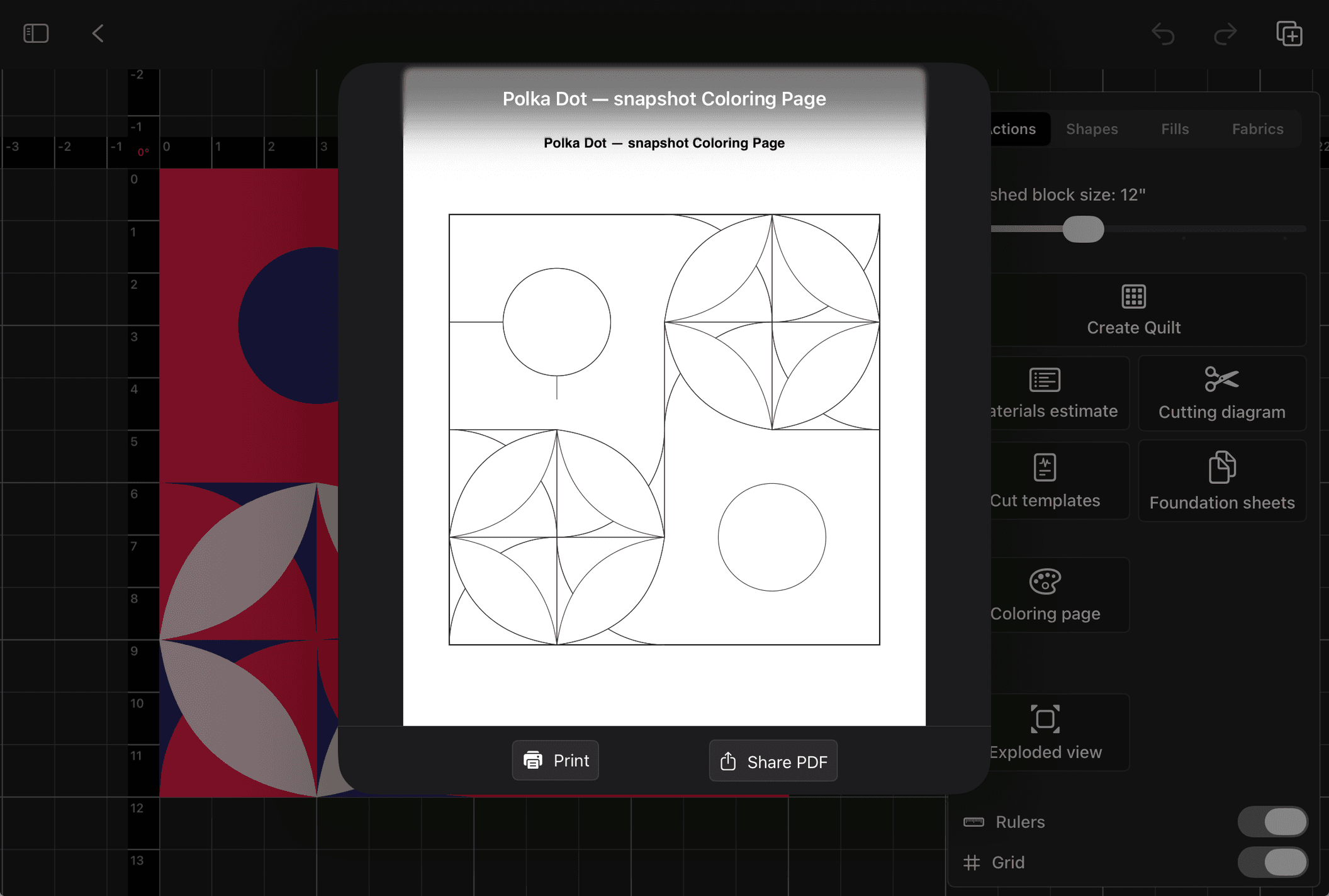
Output actions out of the box. From the Actions panel inside the block editor, build a quilt from the block being currently edited, open a materials estimate, open cutting diagrams, generate cut templates as a PDF, generate foundation paper piecing sheets as a PDF, or generate a coloring page. All personally-made block designs can be quickly shared via several formats.
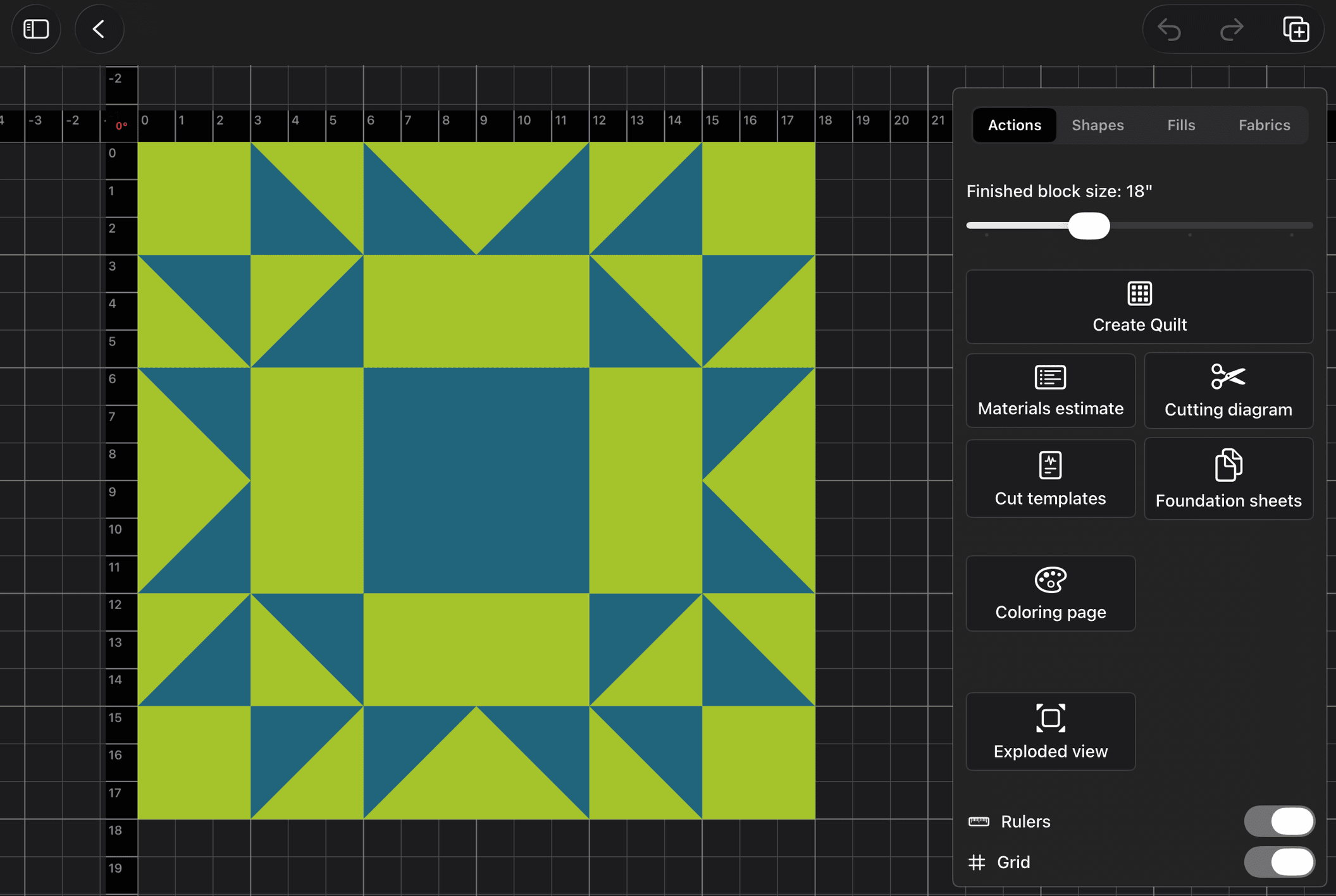
Quilt Editor
Three grid systems for whole-quilt layout. Build quilts on a rectangular grid, on-point (45-degree rotated blocks with setting triangles on the edges), or a patchwork grid that paints primitive patches directly across the canvas without block slots. Each grid type drives sashing, borders, and binding behavior automatically. Bed-size chips (Baby through California King) snap the quilt to standard dimensions with a Fit or Fill toggle, or set rows, columns, and finished block size by hand.
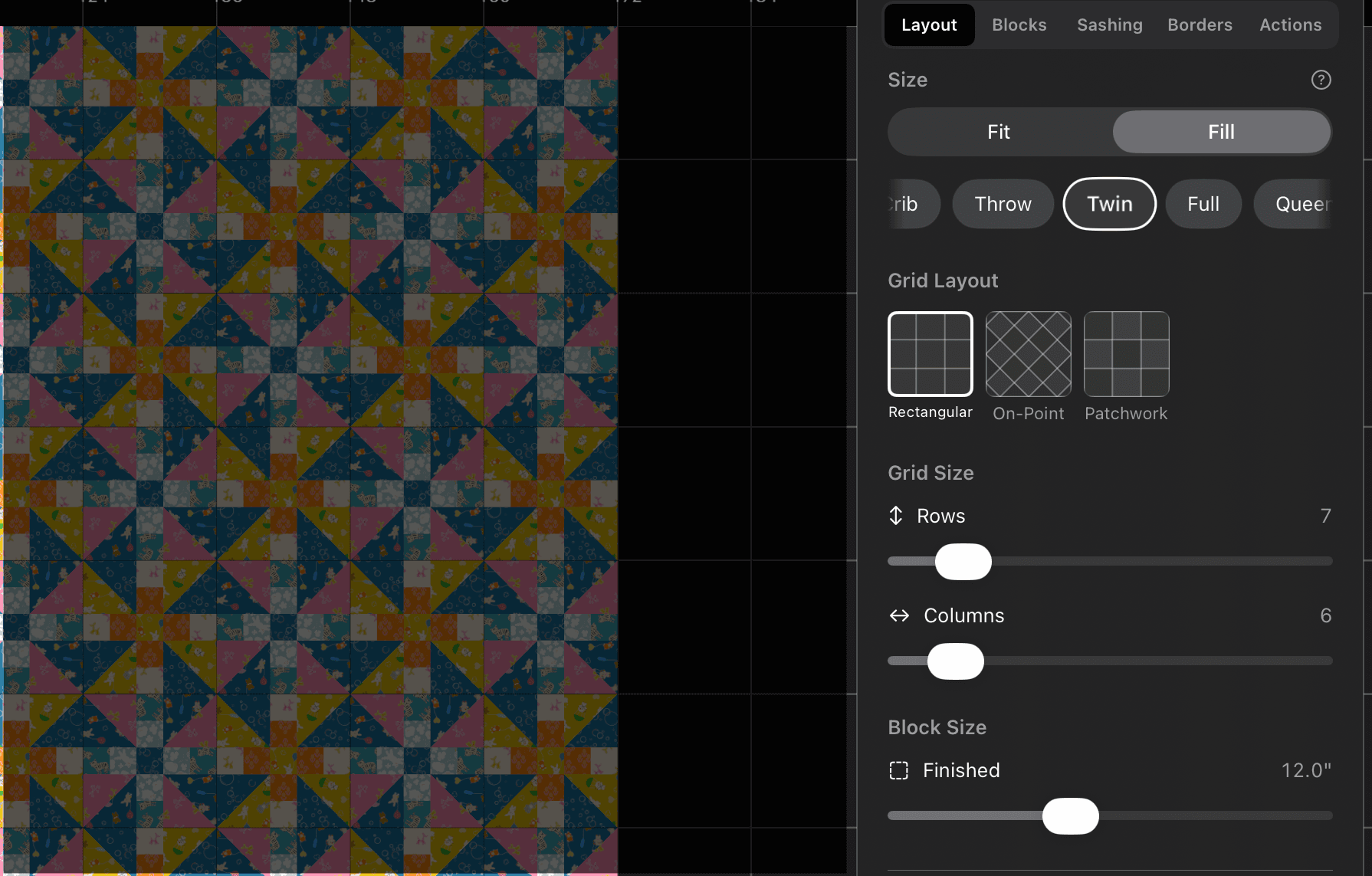
Sashing with per-cell control. Toggle sashing on or off, then dial in the strip width from a half-inch to twelve inches. Use a single fill for horizontal strips, vertical strips, and cornerstones, or break sashing into individual segments and fill each one separately. Tap a sashing cell on the canvas and the inspector routes the fill change to exactly that segment.
Stacked borders with edge and corner control. Add as many border layers as a design calls for, drag and drop to re-order them in the list, and pick a layout style per layer: long horizontal (top and bottom run full width), long vertical (sides run full height), corner blocks (four separate corner squares), or mitered. Run a single fill around all four edges, or split the border into north, south, east, and west segments with independent fabrics. The same split applies to corner blocks when that style is active.
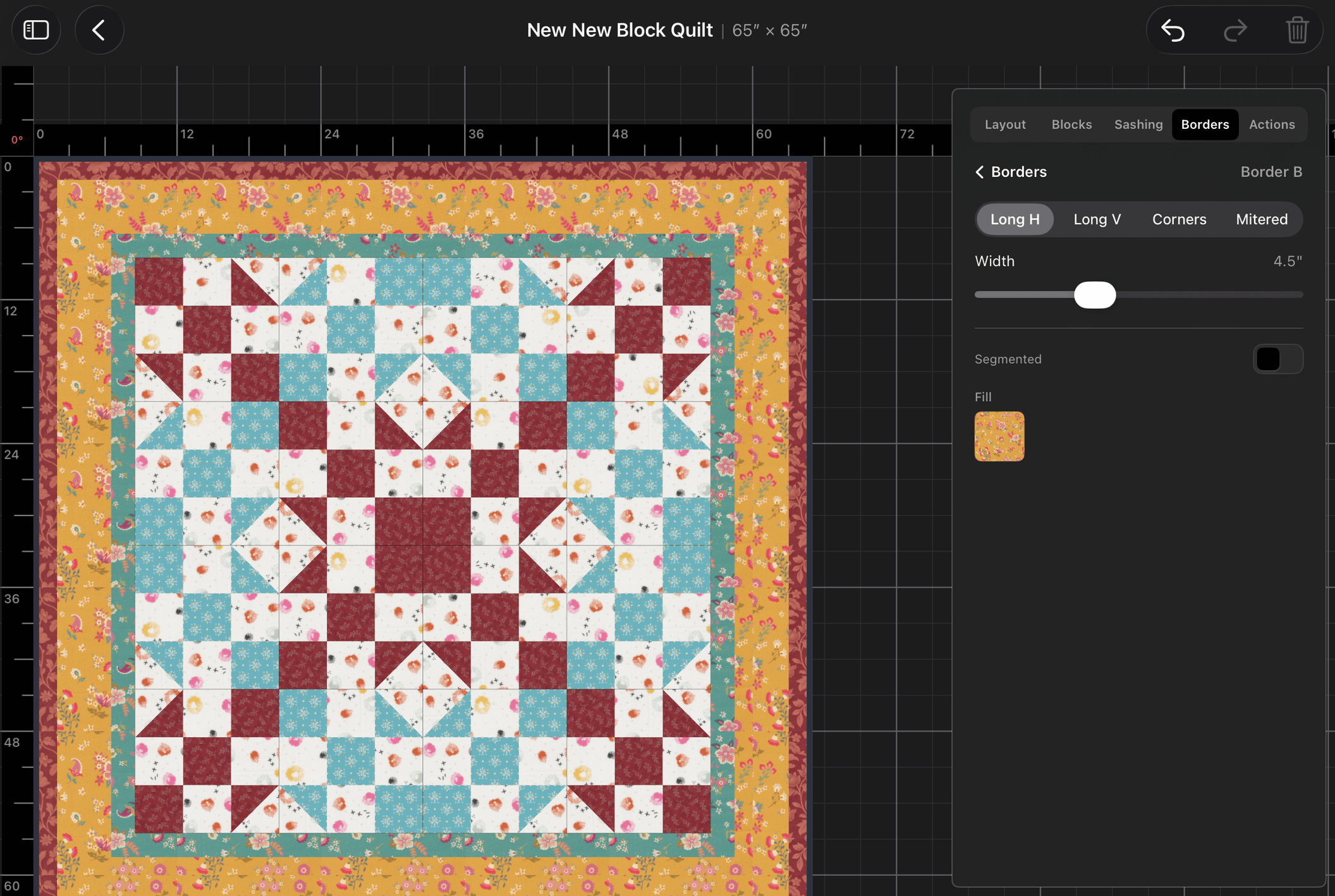
Block placement and selection. Drop blocks into grid cells from the pattern library, rotate them at 90 degree intervals, as needed. Tap to select a block, tap more to extend the selection, or use "select all like" to grab every block on the quilt that shares the same source pattern. Copy and paste block fills between selections.
Patch-level fill editing. Double-tap a block to drill in and select individual patches inside it. Change a single patch's fill without disturbing the rest of the block. Changes can be applied across every block that shares the same source pattern with same fills.
Eyedropper sampling. Tap the eyedropper, then drag loupe over any patch on the canvas to pull its fill straight into the active fill slot. Works across blocks, sashing, borders, and binding, color fills and fabric patterns.
Patchwork painting tools. On the patchwork grid, arm a primitive shape (Square, Half-Square Triangle, Hourglass, Isosceles, Four-Patch, Four-Patch by Four, Nine-Patch, Nine-Patch by Three) and stamp it across the canvas one cell at a time. Rotate the armed primitive in ninety-degree steps by hand, or hand the rotation off to a Sequential, Random, or Position mode that varies it automatically as the brush moves. An eraser toggle clears stamped cells.
Kaleidoscope painting. While painting patchwork, mirror every stamp into two halves or four quadrants of the quilt with flip flags handled automatically. Paint in the control area, the others will mirror and follow.
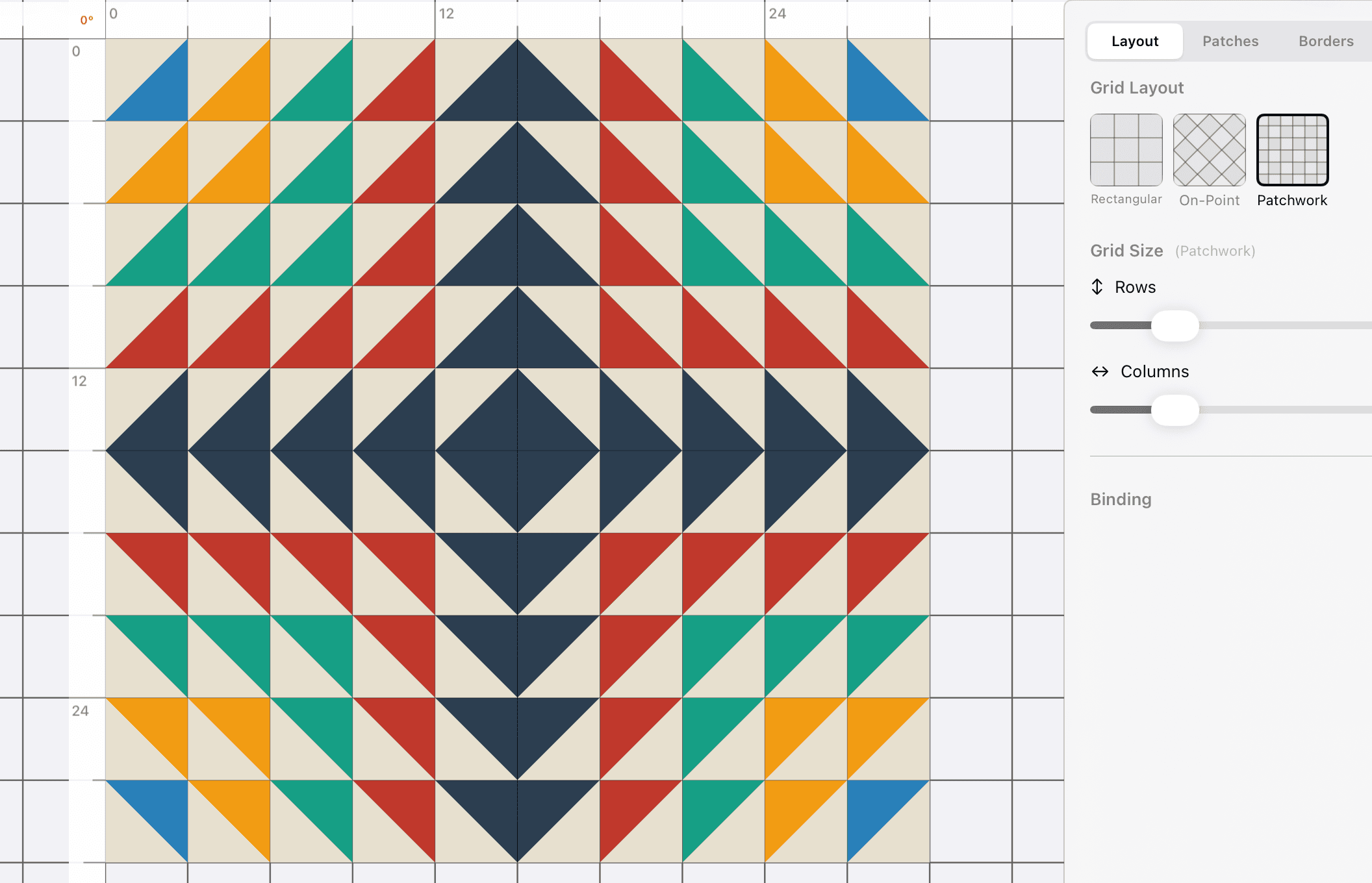
Camera that follows the work. Pan with two fingers, pinch to zoom, double-tap a block to zoom in on it, double-tap empty space to reset to a full-quilt frame. Rulers and grid overlays toggle on and off independently.
Undo and redo across the whole design. Every block placement, every fill change, every border edit lives in a single undo history with full snapshots taken every ten steps and lightweight deltas in between.
Coloring page and materials estimate. Generate an outline-only coloring page for the whole quilt as a PDF, print or share it from inside the app. Open the materials estimate to see fabric requirements per block pattern and per border layer, rounded up to the nearest eighth of a yard, with identical fabrics collapsed into a single total.
Fabric Library
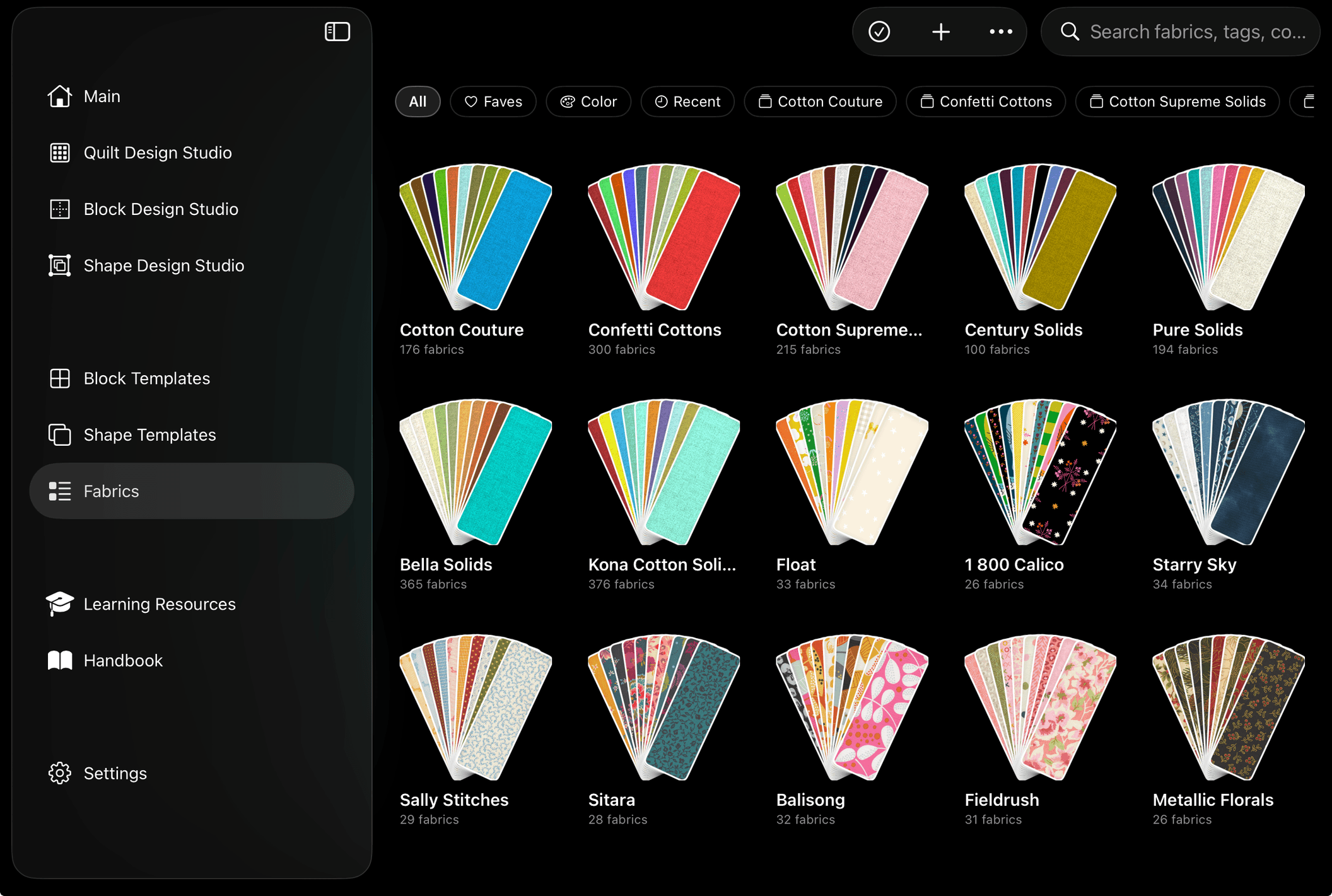
Seven manufacturer solid lines, preloaded. Design with the real Kona Cotton, Moda Bella, AGF Pure Solids, Andover Century, RJR Cotton Supreme, Riley Blake Confetti, and Michael Miller Couture colors you would find by the bolt in your favorite local fabric store.
Bring your stash in. Import single fabrics or batches from Photos or Files, or drop in a ZIP archive of fabric scans to process them all at once. On import, BloqLoft pulls the three or four dominant colors from each image, records the original pixel dimensions for accurate fussy cutting, flags vendor swatches that are not square so they are center-cropped on display, and stores designer, manufacturer, line, SKU, colorway, repeat dimensions, fabric type, and free-form tags.
Browse by hue. A hue-wheel slider lets a fabric search slide around the color wheel and the grid re-sorts live to whatever is closest in perceptual color distance. The sort prefers the dominant color of each fabric and falls back to the average color when that gives a cleaner identity. Achromatic fabrics sort to their own tier so neutrals and prints do not get mixed up.
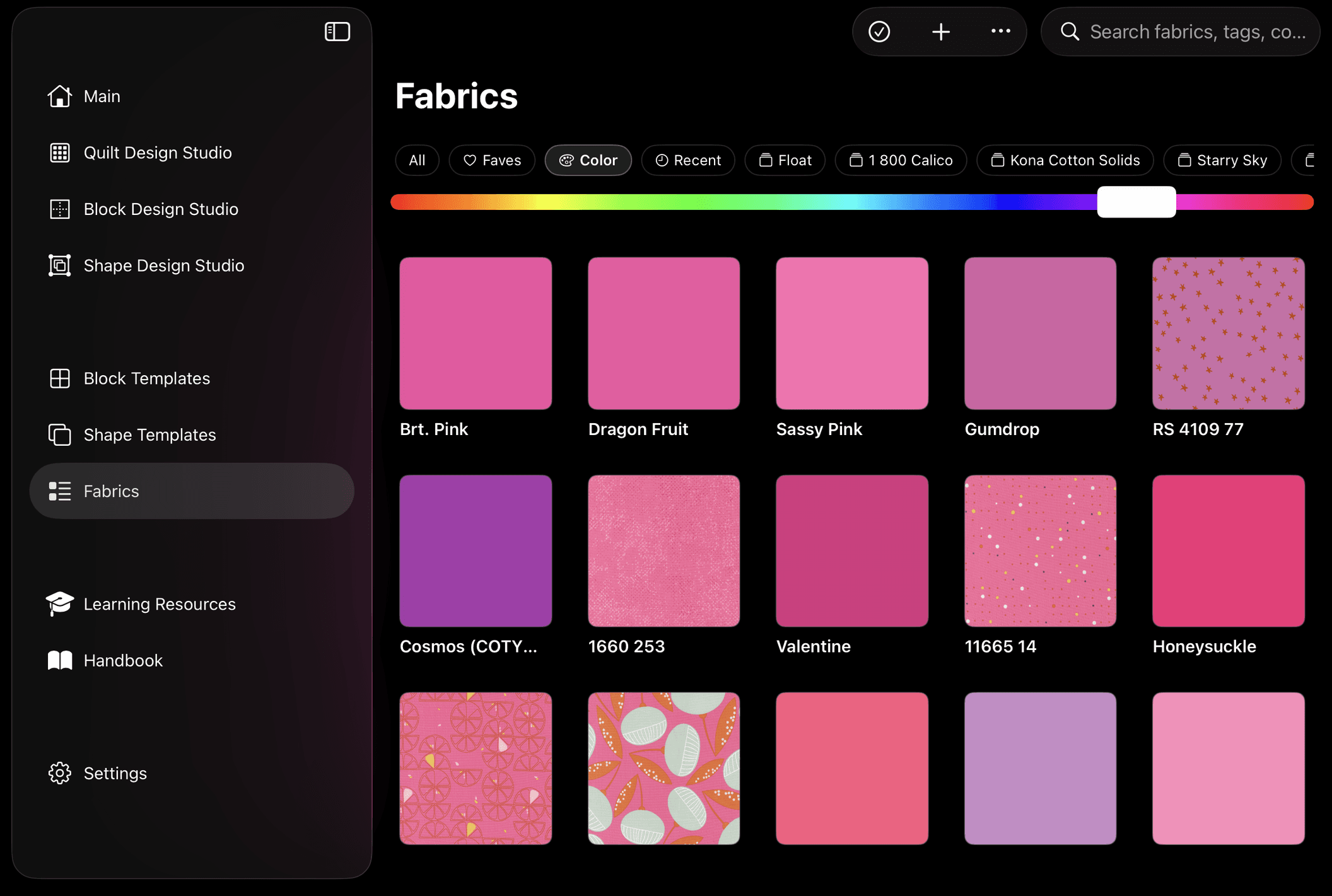
Sort and filter every which way. Sort by name, date added, date updated, manufacturer, designer, color family, or favorites first, in either direction. Filter by All, Favorites, a specific color, Recent, or any collection. The pinch gesture changes grid density from three columns up to seven so the same library can feel like a stash overview or a detail view.
Fabric Collections. Group fabrics into named collections that match real-world bundles (fat-quarter sets, designer lines, themed groups). Collections appear as fanned deck cards with a member count and a dynamic cover fabric picked from the most-recently-used member. Tap a deck to open the collection in full grid for search and sort. Rename, recover, or ungroup collections through context menus.
Auto-palette on collection import. When a fabric collection comes in, BloqLoft can generate a starter palette from the dominant colors of its members and drop the new palette straight into the library.
Multi-select and batch metadata. Switch the grid into multi-select mode to delete fabrics in bulk or open a batch metadata editor that assigns designer, manufacturer, line, repeat dimensions, and tags to every selected fabric in a single pass.
Procedural weave texture on solids. Solid-color fabrics render with a procedural woven-cloth texture that gives them the same surface feel as printed fabrics on the canvas. The weave scales with zoom and stays consistent across blocks, sashing, borders, and binding.
BloqLoft is Solidifying into Final Version 1
I still have a lot of cleanup to do, still need to get my fabulous Beta Testing Team up and running, and have about 25% more to go to get macOS version on par with the iPad version. We will make it, and it will be fun and cool and awesome.